From an idea to a printable STL
Makers use threeD to create figurines, replacement knobs, tabletop miniatures and gifts without modelling from scratch, then send a watertight STL to the slicer.
Getting a generated model ready to print
- 1
Generate solid shapes
Ask for chunky, solid forms. Mention “solid base” if the object has to stand on its own. - 2
Make it watertight
Run remesh with a high triangle target. It closes holes and removes internal faces. - 3
Set size and export
Enter the real height in millimetres, check the thinnest parts, export STL or 3MF.
Why “watertight” matters to your slicer
A slicer needs to know what is inside the object and what is outside. If the surface has holes, overlapping shells or flipped faces, that question has no clear answer, and you get missing layers, phantom walls or a failed slice.
Generated meshes often have small gaps and internal geometry because they were made for rendering, not manufacturing. Running them through remesh rebuilds a single closed shell, which fixes most of these problems in one step.
Setting real-world size
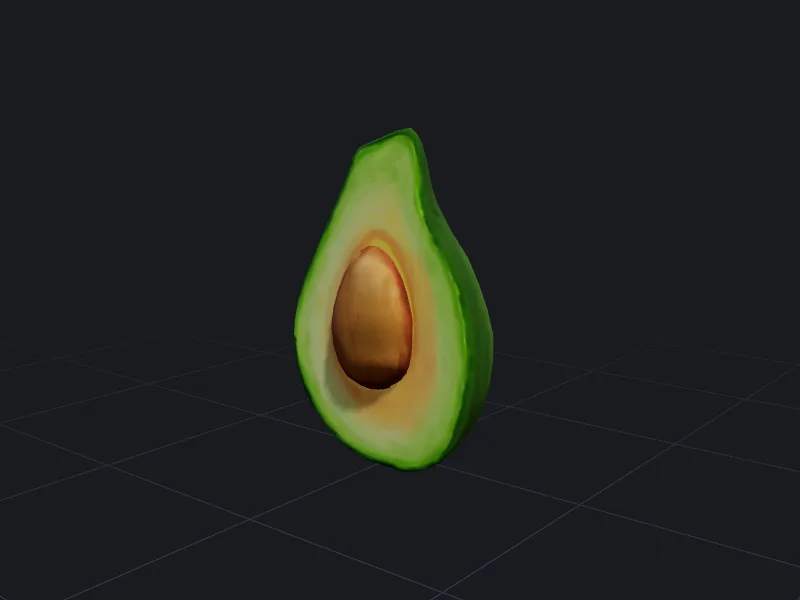
Generated models have no inherent size. Many sample models, like the avocado above, are authored at a few centimetres in metres-based units and show up tiny in a slicer. Before export, set the exact height or width in millimetres in the studio. The other dimensions scale with it. If you already have a GLB, the free GLB to STL converter handles the metre-to-millimetre scaling for you.
Designing prompts with printing in mind
The prompt is the cheapest place to avoid print failures:
- Ask for “thick”, “chunky” or “solid” parts. Thin swords, antennae and tails break or fail to print.
- Ask for a flat base for figurines so the model sits on the bed without a raft.
- Avoid large overhangs, such as arms held straight out, unless you are happy with supports.
Questions people ask
Can I print in colour?
Are the models accurate enough for functional parts?
Can I sell printed models?
Other ways teams use threeD
Make your first model in the studio
Every plan includes all the tools, commercial rights and every export format. Cancel any time.