Remesh any model to the polycount you need
Generated meshes, scans and sculpts are often far too dense for real-time use. Set a triangle budget or ask for quads, and threeD rebuilds the topology while baking the lost detail into a normal map.
Triangles
…
This preview runs edge-collapse decimation in your browser, so the result is real geometry, not a mock-up. The studio adds UV and normal-map baking so the reduced mesh keeps its painted detail.
How remeshing works
- 1
Choose a target
A triangle count, a preset such as “mobile prop”, or a percentage of the original. - 2
Pick the topology
Triangles for game-ready props. Quads for anything you will sculpt, subdivide or rig. - 3
Bake and compare
Detail from the original is baked into a normal map. Toggle before and after to judge the difference.
Decimation and retopology are not the same thing
Decimation removes vertices from the existing surface until it hits a budget, like the live demo above. It is fast and keeps the shape well, but leaves uneven triangles that deform badly if the model is animated.
Retopology builds a new surface of evenly spaced quads that follows the shape and its natural edge flow, for example loops around the eyes and mouth or along a sleeve. It takes longer, but the result subdivides cleanly and bends properly at joints.
Use decimation for static props and background assets. Use quad retopology for characters, anything you will rig, and models you will keep editing. The background is in quad vs triangle topology.
Common triangle budgets
There are no universal numbers; the right budget depends on how many copies are on screen and how close the camera gets. These ranges are common starting points that teams then adjust after profiling:
| Where it is used | Typical range |
|---|---|
| Mobile game prop | 300 – 3,000 triangles |
| Web or AR product viewer | 10,000 – 100,000 triangles |
| PC or console prop | 2,000 – 30,000 triangles |
| Hero character, PC or console | 30,000 – 150,000 triangles |
| 3D printing | No real-time limit; keep detail but under your slicer’s file size limit |
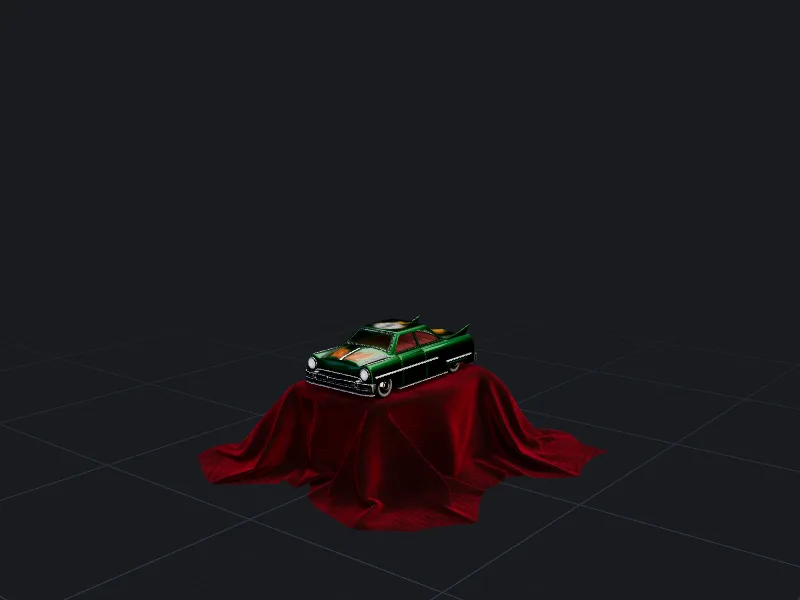
More detail per platform is in polygon budgets for games, web and AR. For a heavy real-world example, open the toy car sample: about 81,000 triangles, far above a mobile budget.
Generate a whole LOD chain at once
Turn on LOD chain and threeD outputs the full model plus three reduced versions, at 50%, 25% and 10% of the triangle count by default. All levels share one UV layout and one texture set, and FBX/GLB exports name them with the _LOD0…_LOD3 suffixes that Unity and Unreal Engine detect automatically on import.
Cleanup that happens on every remesh
- Duplicate vertices are merged and zero-area faces removed.
- Holes are closed so the mesh is watertight, which matters for 3D printing and boolean operations.
- Internal, hidden geometry is removed.
- Normals are recalculated and made consistent.
Questions people ask
Will remeshing ruin my textures?
Can I remesh a model for 3D printing?
What is the lowest sensible triangle count?
Does quad retopology keep edge loops for animation?
Make your first model in the studio
Every plan includes all the tools, commercial rights and every export format. Cancel any time.